
Start with the decision you need to make
Before you test IPTV, know which questions the test has to answer. With FluxIPTV there are only two:
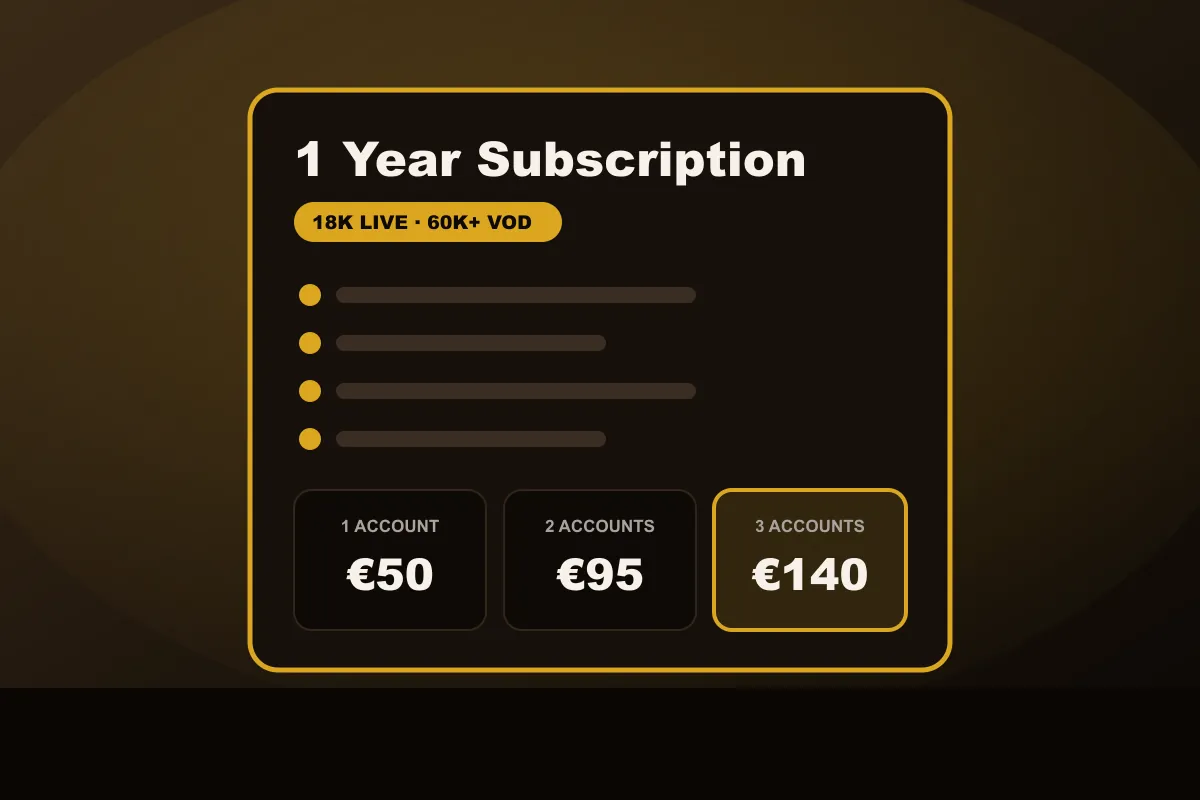
- Does it work on your setup? There is one plan (about 18,000 live channels, 60,000 movies and series, 1 year), so the test is about your device and your connection, not about picking a tier.
- 1, 2 or 3 accounts? More accounts cost less per account, but only matter if several screens play at the same time.
Everything you check during the test should feed one of those two choices. That keeps the 24 hours focused.
Your 24-hour scorecard
Give each item a simple pass, fail or “not sure”. Write it down; after a day it is easy to forget the first hour.
| Check | How to test it | Points to |
|---|---|---|
| Setup | Install the player, log in, load the channel list | Device fit |
| Zapping speed | Switch between 10 channels you actually watch | Device and connection |
| Evening stability | Watch one live channel from 8 to 9 PM | Connection, any plan |
| Live sport | Watch a full match or game | Connection headroom for live sport |
| Picture on your TV | Compare a Full HD and a 4K channel on your biggest screen | Which channel versions to favour |
| Your categories | Look for your countries, languages and genres | Whether the line-up fits you |
| Movies and series | Start three titles, skip forward, resume | Library size you need |
| TV guide | Check that “now” and “next” match your clock | Player settings |
Reading the results: subscribe or not
Subscribe if the player ran smoothly on your device, the evening stream held up, live sport stayed fluid and the channels and categories you care about were there. There is one plan, so the test only has to answer whether FluxIPTV fits your setup.
Wait if something failed that you could not fix during the 24 hours, and tell us what happened: many issues are a player setting or a Wi-Fi problem, and support can often solve them.
Reading the results: 1, 2 or 3 accounts
| Accounts | Price (1 year) | Per account |
|---|---|---|
| 1 account | €50 | €50 (≈ €4.17/month) |
| 2 accounts | €95 | €47.50 (≈ €3.96/month) |
| 3 accounts | €140 | €46.67 (≈ €3.89/month) |
If everything on your scorecard passed and several screens at home play at the same time, the 2- and 3-account plans give the lowest cost per account. If only one screen plays at a time, or something was “not sure”, for example you are about to change internet provider or buy a new TV, a 1-account plan is enough: every plan runs for one year, so you decide again in twelve months.
When a test fails: fix it or walk away?
Not every failure means the service is wrong for you. Some are easy to fix:
- Buffering only on the TV: often Wi-Fi. Try a network cable or the 5 GHz band before you judge.
- Guide shows wrong times: a time-zone setting in the player app.
- App crashes: try the alternative player we suggest; older TVs sometimes need a streaming stick.
- Buffering on every device at the same hour: could be your provider’s network at peak time. Tell us; we can help you check.
If the problems remain after these fixes, do not subscribe. That is exactly what the free test is for.
Next step
Start your test on the IPTV test page, then compare the plans on the pricing page. Setting up a stick? The Firestick guide and the Android TV guide walk you through it.